Google Ads
Search, Shopping, Performance Max, video and display, all run from one account and one set of data.
Search · Shopping · PMax · Video
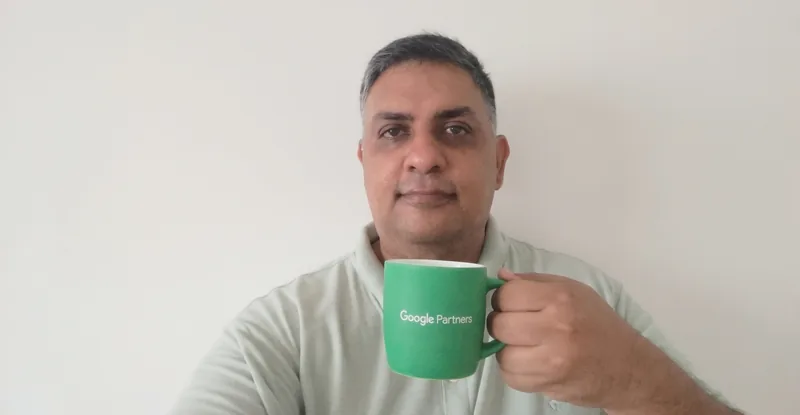
Certified Google Ads Consultant with over a decade of experience. I started in 2013, when it was still called AdWords, and have managed accounts worldwide in places like South Africa, the UK and Australia. I'm Dashen Padayachee, and I help businesses achieve more with Google Ads.
Four things carry a campaign. None of them is a setting somebody flips once and forgets. Here's a breakdown:
Budget follows intent. I map the searches worth paying for, separate them from the ones that only look similar, and build the account so money lands where buyers already are.
Clicks are easy to count. Enquiries, calls and sales are the ones that decide whether the month worked, so tracking goes in first and gets checked before anyone touches the budget.
Invalid clicks drain a budget without ever showing up as a bad campaign. I watch where the traffic actually comes from, block the sources that never convert, and keep the money pointed at people who can buy.
An account left alone drifts. I keep working on yours, moving budget towards what is producing enquiries and away from what is not, and telling you what changed and why.
Not sure where your budget is going? That is the first thing I look at.
Ask me to check itGoogle Ads is my primary area of expertise, but these are the platforms I'm ready to work in. Automated click fraud protection is included in campaign management for Google Ads and Meta Ads. Manual protection is available for all networks that support exclusion by IP address.
Search, Shopping, Performance Max, video and display, all run from one account and one set of data.
Search · Shopping · PMax · Video
Leads, sales and conversations from the places people already waste time.
Facebook · Instagram · WhatsApp
In front of people by job title and company, not by what they searched.
B2B · Lead gen · Sponsored content
The search demand that Google does not carry.
Bing · Search · Shopping
Where news breaks and opinions form, before the search volume shows up.
Promoted posts · Targeting · Retargeting
Short video that finds buyers before they know what to search for.
In-feed · Spark Ads · Lead gen
Conversational placements inside AI answers, where they are available.
Conversational · Eligibility varies
If your buyers are somewhere that is not on this list, say where and I will tell you honestly whether it is worth the budget.
When someone asks how do I show up here, or how do I show up there, the answer is a campaign type. These are the ones worth knowing, and where each one puts you.
This is what people mean when they ask how do I show up first. You bid on what someone just typed, so the ad appears before they see anything else. It is the only campaign type where the buyer tells you exactly what they want.
Your feed does the talking. Image, title, price and store name sit in the sponsored row, so people compare you on price and presentation before they ever click. Fix the feed and everything downstream gets easier.
One campaign across every surface Google owns. You supply the assets and the audience signals, Google decides the mix. It finds demand you would not have targeted yourself, and it hides where the money went unless the reporting is set up to show it.
Video does what search cannot: it puts you in front of people who do not know your name yet. Run properly it feeds the search campaigns instead of competing with them.
The cheapest impressions in Google, and the easiest place to waste money. Remarketing is where it earns its keep: back in front of the people who visited and did not enquire.
For volume and creative that stops a scroll rather than answering a search. Placements include Gmail, Discover, the Shorts feed and Google Maps, where your offer can sit on the map a buyer is already using to find somewhere to go. Best used alongside search, not instead of it.
For apps rather than enquiries. Google chases installs across its surfaces and you set the target cost per install rather than bidding on keywords. Worth being blunt about the reporting: installs are easy to count, paying users are not, so the campaign is only as good as the in-app tracking behind it.
Two clicks and three details. I read every one of these myself, so the reply comes from me rather than from a queue.
What do you need?
Where?
Protected under POPIA. Held by me, used to handle this enquiry and follow it up, and deleted whenever you ask.